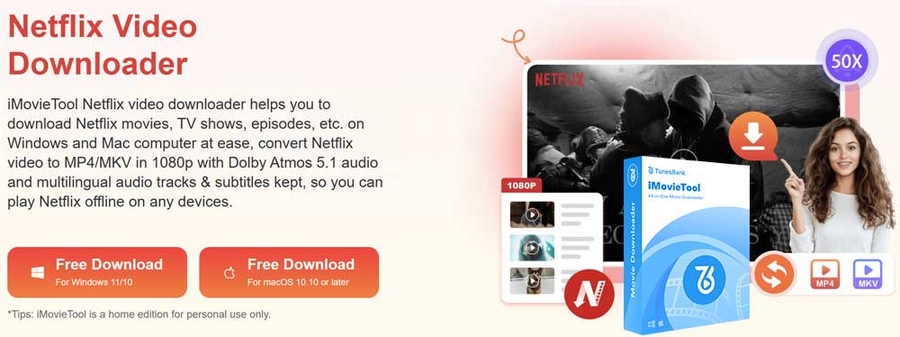

CHICAGO, IL, April 02, 2026 /24-7PressRelease/ -- iMovieTool officially introduces its latest innovation, iMovieTool All-in-One Video Downloader, which is a powerful solution designed for movie lovers who looking for a flexible way to watch Netflix videos offline. The software brings together multiple popular streaming platforms into one-stop tool, including Netflix, Amazon Prime, Disney+, Paramount+, HBO Max, Hulu, etc. With this all-in-one video downloader, users can easy to download and convert streaming videos to MP4 for convenient offline viewing anytime and anywhere.
As online streaming becomes the primary way people watch entertainment, users often face limits when trying to enjoy content without an internet access. iMovieTool aims to simplify offline viewing by providing a reliable desktop tool that saves streaming videos as local files while keeping excellent playback quality.
A Smarter Way to Enjoy Streaming Videos Offline - iMovieTool All-in-One Video Downloader
iMovieTool All-in-One Video Downloader brings multiple streaming services together in one interface, so users do not need to switch between different apps. With the built-in web player, you can browse, search, and choose videos directly within the software.
Compared with traditional downloading methods that involve complex steps, iMovieTool is built for ease of use and efficiency. Users can quickly find movies, adjust output settings, and begin downloading in just a few clicks. The software is suitable for both beginners and advanced users who want a faster and more convenient downloading process. By saving videos to a local device, users can manage their media library more freely and enjoy uninterrupted viewing without relying on an internet connection.
Highlighted Features of iMovieTool All-in-One Video Downloader
1. Support Various Popular Streaming Services
iMovieTool supports multiple popular streaming platforms, such as Netflix, Amazon Prime, Disney+, Apple TV+, Paramount+, Max, Hulu, YT, Facebook, Twitter/X, TikTok, etc. Users can access movies and TV shows from different services directly inside the app without switching between multiple apps or tools.
2. High Quality Video Output
iMovieTool keeps the original video quality when downloading, supporting resolutions up to Full HD 1080p. This means downloaded movies stay sharp and provide an immersive viewing experience similar to streaming online.
3. Multiple Format Options for Flexible Playback
The software lets users save videos in popular formats like MP4 and MKV. These formats are compatible with computers, smart TVs, tablets, gaming consoles, and mobile devices, giving viewers the flexibility to watch on any device they choose.
4. Built-in Streaming Browser
The built-in browser lets users access supported streaming libraries directly, without switching to other apps. You can search for movies, browse categories, and manage downloads all in one place.
5. Batch Download and Fast Performance
iMovieTool lets users download multiple movies or full TV show seasons at the same time. Its advanced acceleration technology speeds up the process at 50x faster, helping viewers build their offline collection quickly.
6. Audio and Subtitle Customization
The software keeps all available audio tracks and subtitle options, so users can choose their preferred language and subtitle style before downloading.
How to Use iMovieTool All-in-One Video Downloader
Getting started with iMovieTool is simple and requires only a few steps.
Step 1. Install and Launch the Software
Download and install iMovieTool All-in-One Video Downloader on your Windows or Mac computer. After installation, open the program to access the main interface.
Step 2. Select a Streaming Service and Sign In
Choose one of the supported streaming services from the homepage and sign in to your account through the built in web player to access the video library.
Step 3. Search for Movies or TV Shows
Use keywords to search for movies or TV shows directly within the software, or paste the video link into the search field to quickly locate the content you want to download.
Step 4. Customize Download Settings
Open the Settings menu to adjust output format, video resolution, audio language, subtitle type, and other preferences according to your viewing needs.
Step 5. Download Streaming Video to MP4 for Offline Viewing
Click the Download button to begin saving videos to your computer. Once the process is complete, you can watch your videos anytime without needing an internet connection.
System Requirements
iMovieTool All-in-One Video Downloader supports both Windows and macOS platforms.
Windows
System: Windows 11, 10, 8.1, 8, or 7
CPU: Intel Core i3 or higher
RAM: Minimum 4GB
Free Storage: At least 20GB available space
Mac
System: macOS 10.11 or later
CPU: Intel or Apple Silicon supported
RAM: Minimum 4GB
Free Storage: At least 20GB available space
Pricing and Availability
iMovieTool All-in-One Video Downloader provides a free trial version that allows users to explore core features before upgrading. The registered version unlocks full downloading capabilities and extended usage.
Available plans include:
One Month License: US$49.95
One Year License: US$99.95
Lifetime License: US$149.95
Users can visit the official website to learn more about features, licensing options, and updates.
About iMovieTool
iMovieTool specializes in creating practical software designed to improve the way people enjoy digital entertainment. By developing tools that make it easier to access, download, and manage streaming content across different devices, the company ensures a smooth and reliable experience. With a focus on usability and performance, iMovieTool provides movie enthusiasts worldwide with convenient solutions to enjoy their favorite films and shows anytime, anywhere.
Official Website: https://www.imovietool.com
Contact Email: [email protected]
Facebook:https://www.tiktok.com/@tunesbank
X: https://twitter.com/TunesBank
# # #
Contact Information
Servant Carole
iMovieTool
Chicago, Illinois
United States
Telephone: 3104750655
Email: Email Us Here
Website: Visit Our Website